








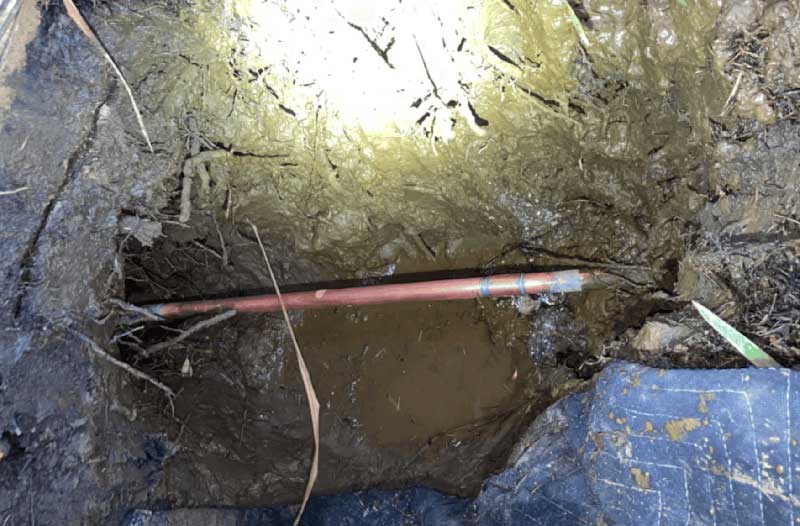
(Photo – Patrick Cahalan)
Recently we were the victims of a leak in our water main.
By Patrick Cahalan
The details of how we found out about the leak, and what the consequences would be on our billing, are long and sordid and probably of not much interest to the reader (it involves a swampy spot in a landscaped bed, certainly better than a few inches of water inside the house or damage to the foundation, of course!)
In any event, we discovered that we had a substantial leak in the water main, and this was recognizable by the graph of water usage via the Pasadena Water and Power account page.

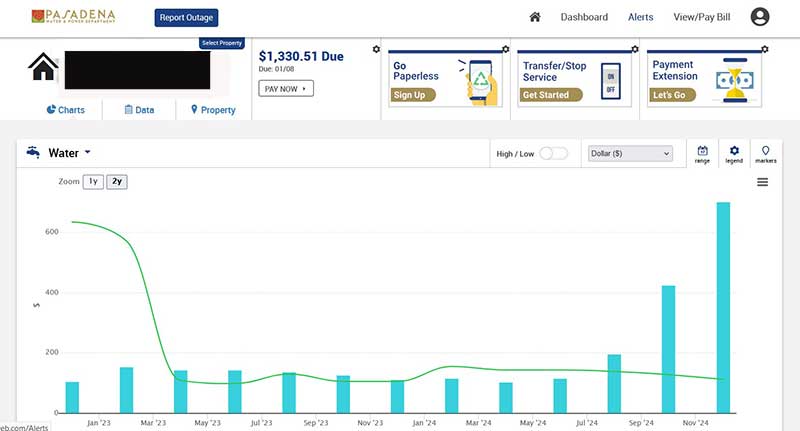 As you can see from the figure, we “used” an astronomical amount of water in November and December of 2024 (if by “used” you mean “fed right back into the aquifer below Pasadena.) I was frankly somewhat astonished to discover that you could pull seven times as much water from PWP as you ever have before in a month without any automated alarms being triggered, but que sera sera, I suppose.
In any event, here’s how to avoid having a leak in your water main trigger a multiple hundreds of dollars water bill a couple of weeks before Christmas:
- Step 1: Log into the Pasadena Water and Power customer portal.
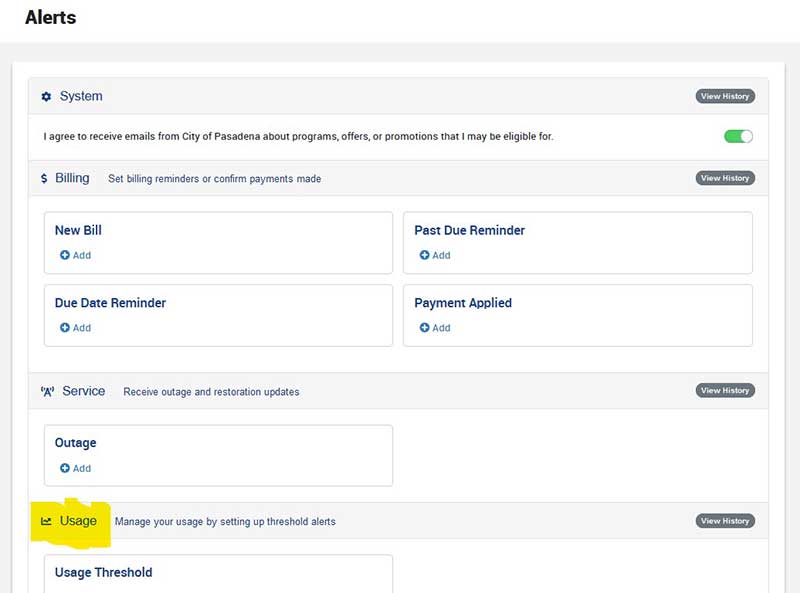
- Step 2: Click on the “Alerts” section up top, in the upper right hand corner.
- Step 3: Scroll down to the “Usage” section and click on “Usage”
- Step 4: Here you can add an alert. You can add alerts for when your electrical or water usage gets above a certain threshold. I selected 20 HCF as my alert point, and have the system send me an email when I pass that amount, but you can also configure it to send you text messages.
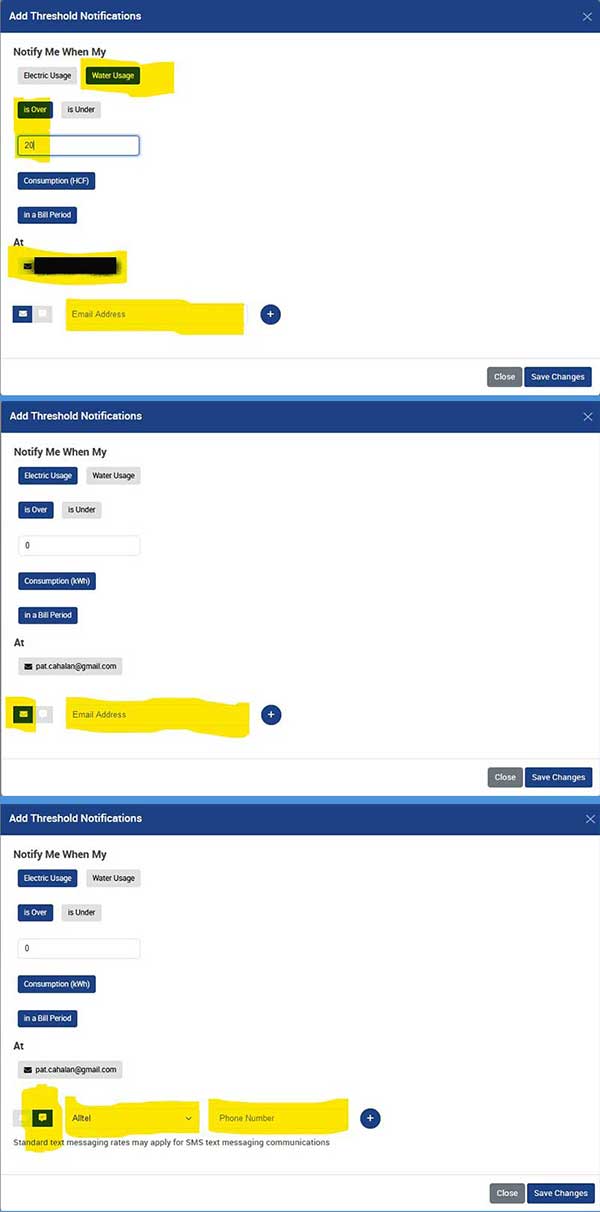
This means that when your PWP meter passes over that threshold you’ll get an alert message that you’re using an unusual amount of water (or electricity).
I hope this helps you avoid a catastrophically huge water bill!












This approach works, but it relies on PWP reading your meter – which they only do once every two months for billing and large leaks can still run up your bill in that time.
A better solution is to install a “Flume” device that reads your meter in real time and reports it to you through your WiFi (PWP provides a rebate to cover most of the purchase cost). It doesn’t work for all meters – it didn’t for mine, so check the Flume web site for compatibility.
There also is a monitoring device sold by StreamLabs but installation is much more complicated and the unit is more expensive (but a rebate is also available).
Both devices report to you directly through a cell phone app and report very low flow rates for even minor leaks.
PWP will eventually (2-4 years away) be installing a system that will be able to monitor water use real-time and they will be able to monitor more effectively, but they won’t provide real-time access to data to the customer and the alerts that they would send might become very annoying if you set the alert flow rate low enough to catch small leaks.
Thanks. I just checked. I appreciate your articles.