








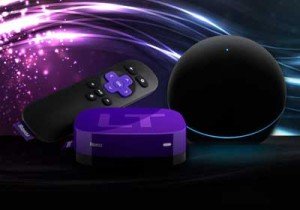
 Walking through the aisles of an electronics store, I come to the conclusion that streaming is here to stay.

By Robert Gauna – Technology*
New Blu-ray players have streaming services built-in already. But it‘s mostly a stopgap to what‘s really occurring. The cost of Internet high-speed still isn’t where it is supposed to be, with the U.S. currently averaging at 8.7mbps versus South Korea (the most interconnected country) running at 13.3mbps.
But that shouldn’t dissuade me from picking up a streaming device when possible.
So which one to choose?
Apple TV, Roku or Chromecast really depends on how I choose to consume media. So let’s start there.
 Apple TV

If I‘m heavily invested in the Apple ecosystem and normally purchase iTunes music and movies for iPhone and iPad, then AppleTV is the best route since it‘ll be a seamless transition from mobile to TV with all my purchases available already at my disposal with the Apple ID. Cost-wise, it‘s still the priciest streamer at $99.00 AirPlay, built into AppleTV, is a huge plus, since I can mirror my display off the iPhone or iPad straight to the TV, as long as the app supports it — which works with a lot of games on my iPad or iPhones! The downside is that streaming content is still limited because Apple has to partner up with content distributors, and my favorites may not be available yet. They do hold the popular ones like Netflix, Amazon, HBO Go, and ESPN — among others.
 Roku
Roku
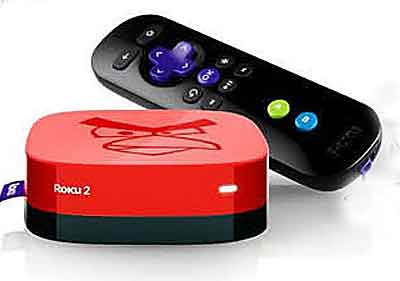
Roku is a nice alternative to allow me to cord-cut the cable. It offers 1200 channels off the bat. Roku is priced at different levels, starting at $49.99 for the stick that’s matched against Google’s Chromecast and the Streaming Player, which is priced at $99.99, thus matching up against AppleTV. This allows for a variety of options for my budget.
The best part about owning a Roku is that if I’m a TV junkie and couch-surf all day long, the massive amount of content is what the deal is about. The downside is that the quality of the videos isn‘t as great as the one that AppleTV offers. They do offer Netflix, Amazon, HBO Go, and ESPN preferred content, so I’m not totally at a loss with this. Apps aren‘t as extensive (unless I’m dying to play Angry Birds on the 40ʺ flat screen TV in my living room).
 Chromecast
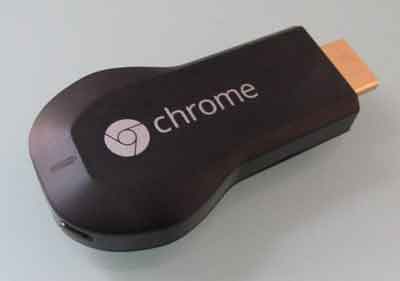
Ok, so I love downloading content off the Internet with my PC, and I just want to stream it to the TV. Or I like converting my old videos or making new videos. AppleTV and Roku make it challenging to move that content off the PC to the TV. What I‘ll need is Google’s Chromecast. It’s the cheapest streamer being sold at $34.99 at Best Buy. It’s developer-friendly, which allows for a lot of third-party apps being available, such as Plesk, a media organizer that allows me to stream off my PC to TV. The bonus here is that if I am a YouTube junkie, Chromecast’s seamless integration to the other Google service is welcomed. Netflix is also available, and HBO Go is still coming sometime soon. The downside to the price is that I’ll need a separate device to host the content (such as a PC, a tablet or Smartphone) to control Chromecast. Still, it’s the best bang for my buck if I’m not streaming heavily and still prefer to watch off my cable or satellite.
 Fire TV
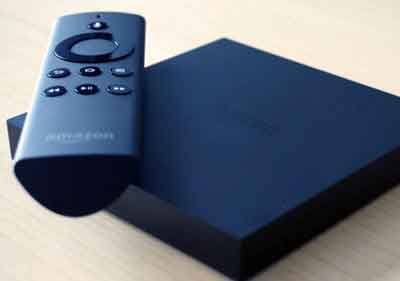
There is an upcoming Amazon Fire TV, which is priced competitively against AppleTV at $99.99 with a bonus of allowing a game controller (sold separately), which promises me to play mobile games from Android on the TV. This is a huge plus for Amazon Prime subscribers if I’m heavily invested in Amazon’s online marketplace. They also promote their voice search capability, so I can just say what I’m looking for, and Amazon Fire TV takes care of the search. Unfortunately, there are no live TV options I can currently find in Roku, so it‘s severely limited to Amazon content.
 Game consoles
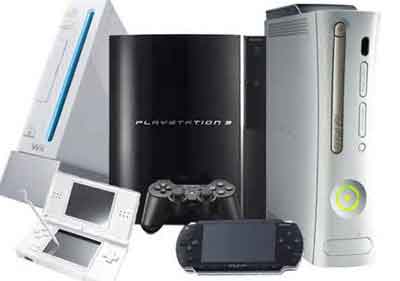
If I have an Xbox or a Playstation, then they are also capable of streaming content online, but primarily function as a game console. Prices for consoles are still high at $399.99 to get the new PS4 or Xbox One. Unless I‘m heavily into games or have kids asking for a console this for Christmas, this is not the best option for me.
So there it is.
There are several streaming options available for my lifestyle and budget. All I have to do is try out one for myself and see what actually works.
These devices also get regular updates, so if I happen to get one this year, it’ll still work and get improvements next year, even if I get a different streamer. No doubt I‘ll have more than one in the house.
Here’s to cord-cutting and the cost-savings of ditching my cable. Dream on. And stream on!
Robert Gauna is a Systems Architect with 15 years experience in several IT fields providing guidance and implementation plans for startup companies. Robert joins Colorado Boulevard as a Technology Contributor.














Good article, but the picture of the main icon shows scissors cutting an Ethernet cable. Although most of the streaming devices mentioned are Wi-Fi capable, some people get the lower end roku that does not have Wi-Fi, or they don’t pay for Wi-Fi at home (I don’t understand how they live, but they do), so an Ethernet cable would still be necessary!